

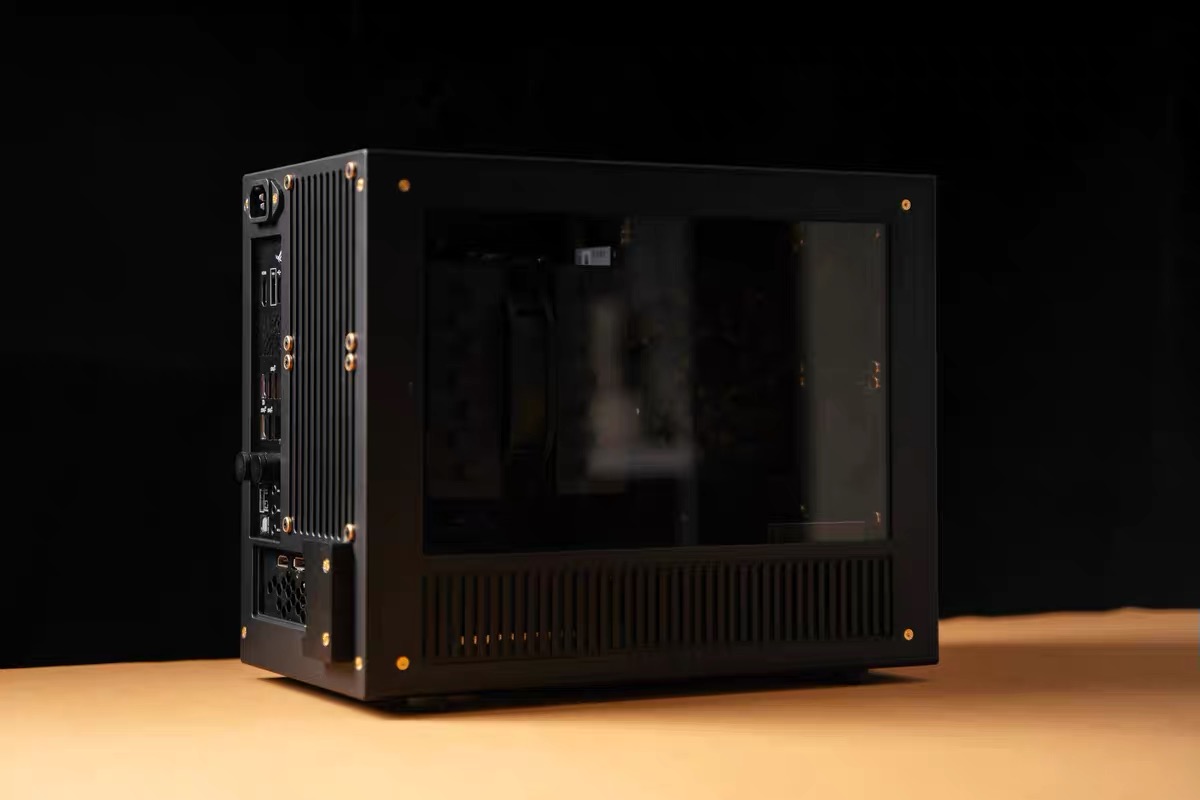

When buying computer case design files, you may often see two common types: 3D printed case design files and CNC case design files. Both are digital design products, but they are made for different manufacturing methods and produce very different final results.
In simple terms, 3D printed case files are better for personal DIY builds, prototypes, open-frame cases, and low-volume projects, while CNC case files are better for users who want metal construction, higher precision, better strength, and a more professional finished product.
What Are 3D Printed Case Design Files?
3D printed case design files are digital models designed for 3D printing. Users can print the parts layer by layer using a 3D printer or a local 3D printing service.
This type of design is often suitable for open-frame computer cases, test benches, brackets, stands, mounting parts, and custom PC structures that do not require full metal construction.
The main advantage of 3D printing is accessibility. It does not require large industrial machines, and it is easier for individual users to produce parts at home or through a small printing service.
However, most 3D printed parts are made from plastic materials such as PLA, PETG, ABS, or nylon. These materials can be useful for DIY projects, but they usually do not provide the same strength, heat resistance, surface finish, or precision as CNC-machined metal parts.
What Are CNC Case Design Files?
CNC case design files are digital files intended for computer numerical control machining. CNC machining usually uses materials such as aluminum alloy, stainless steel, or brass. The parts are produced by cutting, drilling, and milling solid material with CNC machines.
For computer cases, CNC design files are commonly used for high-end Mini-ITX cases, SFF cases, aluminum chassis, structural panels, and precision mounting parts.
The main advantage of CNC machining is quality. CNC parts can provide high precision, strong structure, clean edges, and a premium metal finish. For example, CNC-machined aluminum with sandblasting and anodizing can create a professional and durable appearance.
However, CNC machining usually requires a professional manufacturer. Users need to confirm material, thickness, tolerances, surface finish, and assembly details before production.
The Main Difference
The biggest difference between 3D printing and CNC machining is the manufacturing process.
3D printing is additive manufacturing. It builds the part by adding material layer by layer.
CNC machining is subtractive manufacturing. It cuts away material from a solid block or plate to create the final part.
Because of this, 3D printing is usually better for fast prototyping, complex shapes, and small DIY projects. CNC machining is usually better for high-strength parts, metal cases, precision components, and professional finished products.
Advantages of 3D Printed Case Files
3D printed case files are flexible and easy to use for DIY users.
They are suitable for people who want to quickly test a structure, build an open-frame PC, or create a unique custom computer case. Parts such as motherboard trays, GPU supports, PSU brackets, fan mounts, and open test bench structures can often be made with 3D printing.
3D printing is also useful for users who want to customize or modify the design based on their own hardware.
Advantages of CNC Case Files
CNC case files are better for users who want a stronger and more premium result.
If you want an aluminum case, a rigid frame, accurate mounting holes, clean edges, and a product that feels closer to a commercial computer case, CNC machining is the better choice.
CNC-machined cases are often more durable and more suitable for long-term use. This is why many compact Mini-ITX and SFF computer cases use CNC aluminum parts.
Which One Should You Choose?
Choose 3D printed case design files if you want a more accessible DIY project, a test bench, an open-frame structure, or a lower-cost way to make custom PC parts.
Choose CNC case design files if you want a metal computer case, better strength, higher precision, and a more professional final appearance.
Some designs can be used as references for both 3D printing and CNC machining, but the final result may still depend on the material, manufacturing process, and local production conditions.
Things to Check Before Buying Design Files
Before purchasing digital case design files, it is important to confirm:
- Whether the product is digital files only
- Whether any physical product is included
- Whether the design is intended for 3D printing or CNC machining
- What motherboard, GPU, PSU, and cooling hardware are supported
- Whether screws, cables, switches, or other accessories are required
- Whether you need to contact a local manufacturer
- Whether the design may need adjustment for your manufacturing method
For CNC design files especially, buying the files does not mean you will immediately receive a finished computer case. You still need to arrange machining, material selection, surface finishing, and assembly.
Conclusion
3D printed case design files and CNC case design files are both useful for custom PC building, but they serve different purposes.
3D printed files are better for DIY users, prototypes, open-frame designs, and test bench projects. CNC files are better for metal construction, high precision, strong structure, and professional-quality cases.
The best choice depends on your budget, tools, manufacturing access, material preference, and the final look you want for your custom computer build.